Tutor Verification: Ghana Card and Selfie
How LessonPro checks every tutor: Ghana Card front and back, a selfie match, and a person (not a computer) reviewing it. Tips for photos that pass.
Every tutor on LessonPro passes the same verification before their profile goes public: a Ghana Card check and a selfie match. A member of our team does it by eye, not a computer, usually within 24 to 48 hours of your application.
Parents rely on this check when they let a tutor into their home. A blurred photo can send your application back, so it is worth getting the photos right the first time.
What we check and who sees it
On steps 3 and 4 of the Become a Tutor form, you give us:
- your Ghana Card Number
- a photo of the front of your card
- a photo of the back
- a selfie
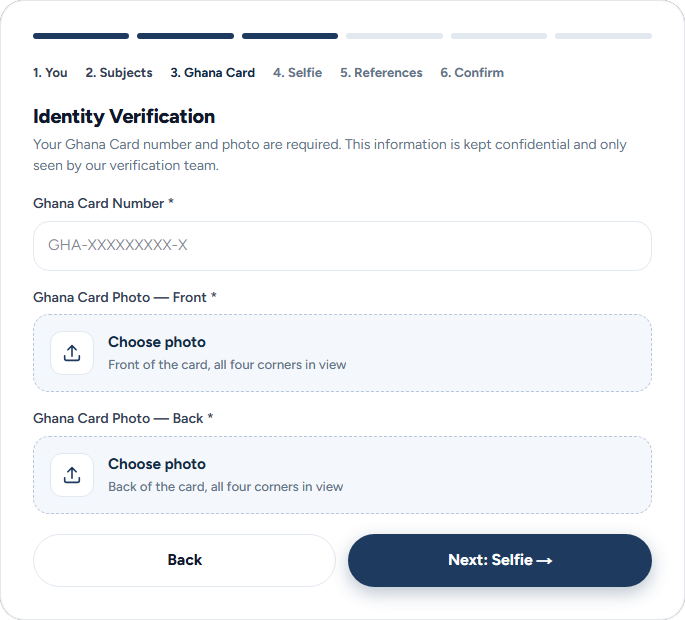
Our verification team checks three things:
- The photos are clear and show the whole card, front and back.
- The name on the card matches the name on your profile.
- The face in your selfie is the same person as the photo on the card.
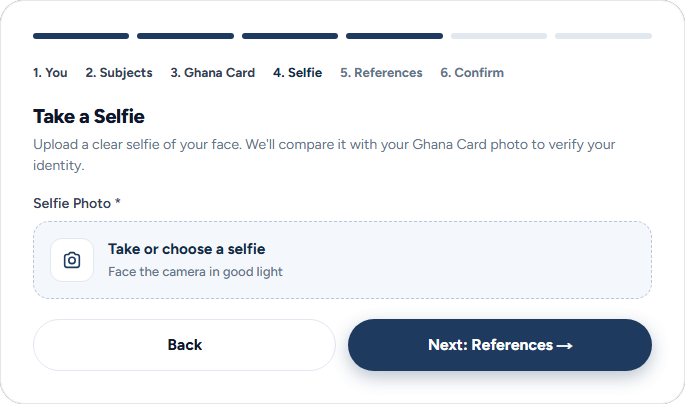
Who sees your documents. Only our verification team. Your card photos and selfie are stored privately, and the team opens them through links that expire after one hour. They are never on your public profile, never sent to parents and never shown in search.
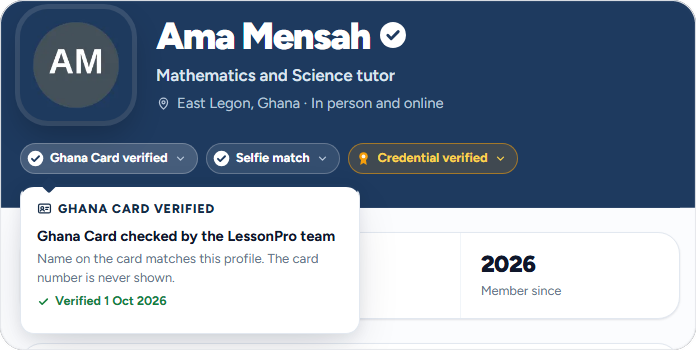
What parents see. Two badges on your profile: Ghana Card verified and Selfie match. Tap one and it says the check was done by the LessonPro team, with the date. Your card number is never shown.
Ghana Card photos and a selfie that pass first time
When our team sends an application back, these are four of the reasons they can give:
- Ghana Card photo not clear
- Selfie photo not clear
- Selfie does not match Ghana Card
- Name does not match Ghana Card
Each one is easy to avoid.
For the card:
- Lay it flat on a plain, dark surface, such as a table or a book cover.
- Get all four corners in the photo. Do not crop the edges.
- Use daylight from a window. Turn off the flash, because it causes glare on the card.
- Hold the phone straight above the card, not at an angle.
- For the back, photograph the side with the barcode, the same way.
- Zoom in on the photo before you upload it. If you cannot read the name and the number, neither can we.
For the selfie:
- Face the camera in good light. Stand facing a window, not with the window behind you.
- Take off sunglasses, and anything that covers part of your face.
- Hold the phone at eye level, with your whole face in the frame.
- Use a recent photo. If you no longer look like your card photo, for example after a big change of hairstyle or weight, message support before you apply.
For your name: type your Full Name on step 1 as it appears on your Ghana Card. You can add the name students call you in your bio.
Updating your ID later
You might need to send new photos if we asked for clearer ones, or if your card was renewed. In the LessonPro app:
- On your dashboard, under Tools, tap My profile.
- Under Edit, tap ID documents.
- Tap Add photo for each photo we asked for. Leave the others alone.
- Tap Send for review, then Send to confirm.
On the website, sign in, open Edit Profile and use Update ID Documents.
Waiting to hear back? What each application status means.