How to Become a Home Tutor in Ghana
Join LessonPro free as a private tutor in Ghana. The 6 sign-up steps, what to have ready and how long the Ghana Card check takes. No commission.
To become a home tutor in Ghana on LessonPro, you fill in the Become a Tutor form. It has 6 steps, and the only document you need is your Ghana Card. Joining is free and LessonPro takes no commission. Parents pay you directly.
Once we approve your profile, parents in your area can find you, call you, WhatsApp you or send you a lesson request.
Who can join LessonPro
You can apply if you teach any subject at any level, from Primary to University and adult learners. A home teacher, a school teacher who gives extra classes after hours and a university student who tutors JHS maths all fill in the same form.
Have these ready before you start:
- Your Ghana Card. We need the number and a clear photo of the front and the back.
- A phone that can take a selfie, or a recent photo of your face.
- A Ghana phone number that is yours. It becomes your sign-in, so a shared or borrowed phone causes trouble later.
- One referee who knows your teaching, with their phone number. A parent of a student, a former student (18+), a school head or colleague, or an employer.
- Your hourly rate. Not sure what to charge? Read how much to charge for home tuition first.
Certificates are optional. You can add your NTC licence, B.Ed or WAEC certificate after you join, to earn the gold Credential verified badge.
The 6 steps on the Become a Tutor form
Open the form at getlessonpro.com/join on your phone or computer. The tabs at the top show where you are.
1. You
Type your Full Name, Phone Number and your WhatsApp number if it is different. Email is optional. Pick your Service Area, for example East Legon, Madina, Tema or Kumasi. If your area is not listed, pick Other and type it.
Add your Highest Qualification, Years of Experience and a short Bio / Teaching Style. A profile photo is optional, but a face helps parents decide. Tap Next: Subjects & Rates.
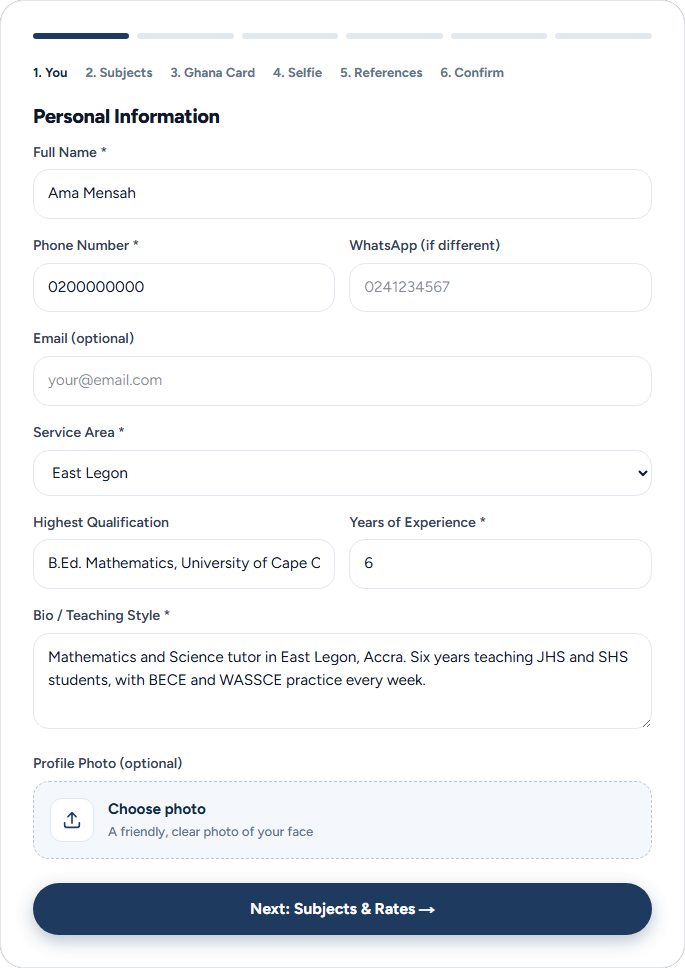
2. Subjects
Pick every subject you teach and every level, from Primary to BECE Prep, WASSCE Prep and University. Add any language you teach in besides English, such as Twi, Ga or Ewe.
Type your Hourly Rate (GHS) and choose your Teaching Mode: In-Person, Online or Both. Below that you can say where you teach, with a public landmark and a private street address. This part is optional and you can fill it later.
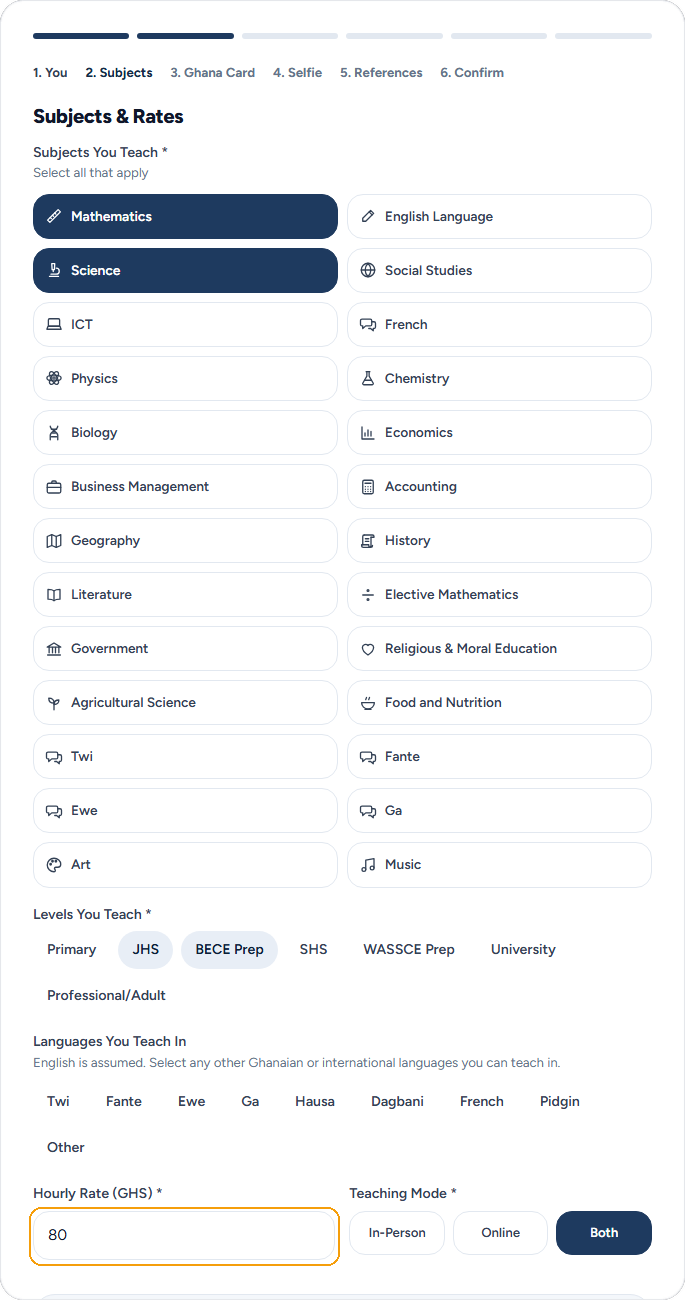
3. Ghana Card
Type your Ghana Card Number and upload a photo of the front and of the back, with all four corners in view. Only our verification team sees these. How the Ghana Card and selfie check works.
4. Selfie
Tap Take or choose a selfie. Face the camera in good light. We compare it with the photo on your card.
5. References
Add 1 referee: full name, phone number and How do they know you? You can add 2 more with + Add another referee (optional). Use someone else's number, not your own. LessonPro contacts your referees during the check, and at least one must confirm before we approve you. Referee names and numbers never appear on your profile.
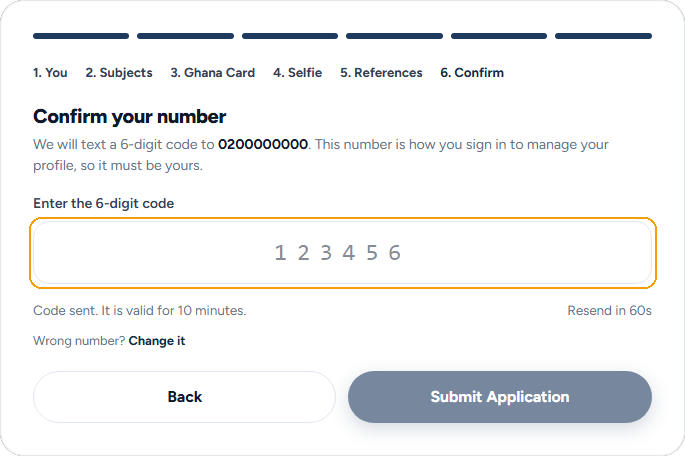
6. Confirm
Tap Send code. We text a 6-digit code to the number from step 1. Type it and tap Submit Application. The code works for 10 minutes. If it does not come, tap Resend code after 60 seconds.
What happens after you apply (24-48 hours)
You see Application Submitted! Our team checks your Ghana Card, your selfie and your details, usually within 24 to 48 hours. A person does this, not a computer.
When you are approved, we text you from LessonPro with the link to your public profile. Your profile goes live at once and parents can find you in search.
If something needs fixing, the text tells you why and what to send again. What each application status means.
While you wait, you can sign in to the LessonPro app with the same phone number. Your dashboard shows Waiting for review until the check is done.